The connected contractor platform

Run your contracting business from one connected platform.

From the first lead to the final payment, HomeVision connects your CRM, estimates, proposals, projects, field teams, and finances.

Built for roofing, bathroom remodeling, and home-service teams.

Your business, connected

Sales, projects & delivery
Demo
WO-1042 · Jordan Miller

Maple Street roof replacement

In production
Underlayment installation documented on the Maple Street project
Progress · Underlayment installed
Proposal
$12,800 approved
Scheduled work
Sep 14 · Roofing crew
Invoice
$4,000 paid · $8,800 balance
Next step · Review flashing detail · Alex Rivera

Two core modules. One connected HomeVision.

From the field to the office, keep everyone connected.

Project Vision

Keep the field and your customer in the loop.

Capture photos, videos, and documents with the project. Keep internal notes organized and customer conversations connected to the work.

Project VisionSample project

Production project · WO-1042

Maple Street roof replacement

In progress

ARSC
Project photos9 photos 3 phases
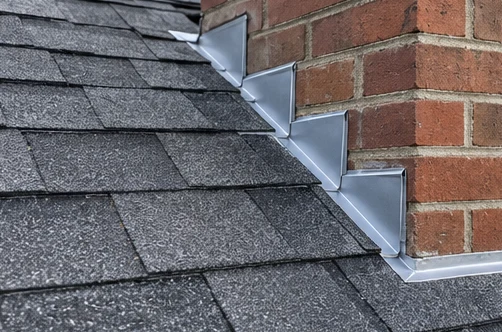
Published flashing photo referenced by the homeowner conversation — illustrative demonstration project
Published update · New flashing

Jordan: Is the new flashing finished?

Alex: Sam will check the final detail at tomorrow's walkthrough.
Bill Vision

Get receipts into review and back to the office.

Capture receipts, review the details, and submit spending for approval. Give the office a clear record for corrections, reporting, and export.

Bill Vision / New expense

Maple Street · WO-1042

Demo

Northline Supply

Sep 16, 2026 · 14:32
2 × roof sealant · $24.0048.00
4 × flashing · $25.00100.00
Subtotal148.00
Sales tax11.84
TOTAL USD$159.84

VISA ···· 1042 PAID

Review receipt details

Draft
Merchant
Northline Supply
Receipt date
Sep 16, 2026
Final amount · USD
$159.84
Prepared example · Human review before explicit submission.

Explore / Build Vision — Exterior

Show the possibilities on a real home.

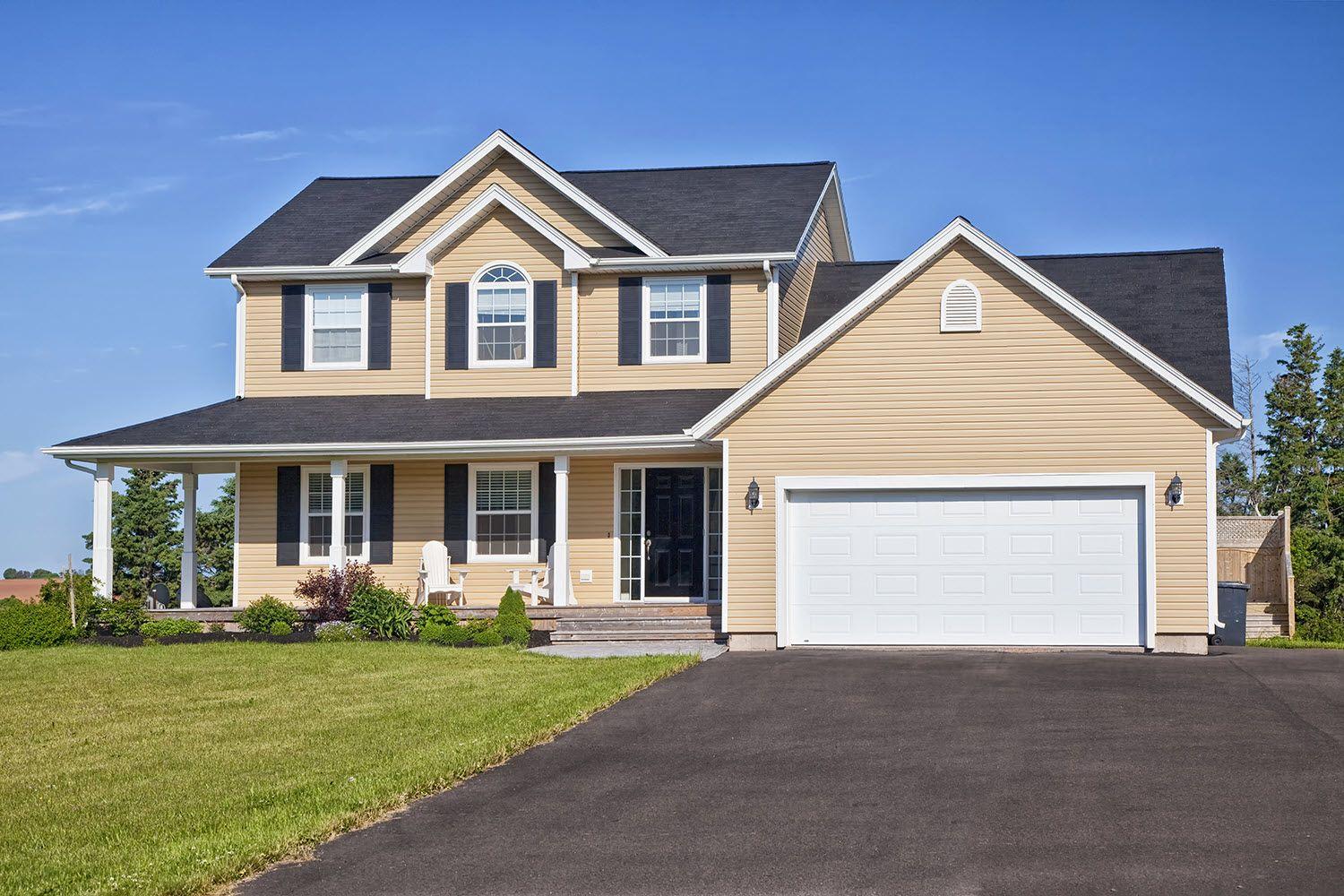
Explore supported roofing, siding, and garage-door products on our prepared home. Try available material previews and compare them with the original photograph.

No signup needed. Explore the example without saving or uploading.

Build Vision — Exterior

Template 1 · Original house photograph
Original
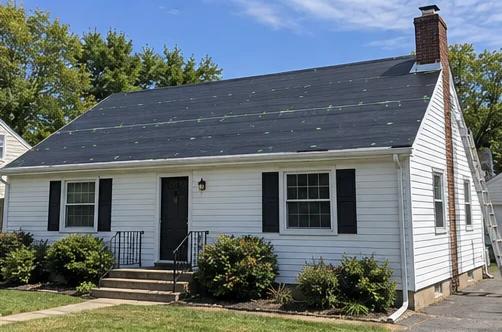
Original Template 1 house photograph with a roof, siding, shutters, and garage door for the public Build Vision — Exterior
RoofSidingShuttersGarage door

The whole job, in one place

Four workflows. No lost context.

01CRM + Pipeline / Instant Quoter

Give every lead a clear next step.

Bring website requests, referrals, and customer conversations into one pipeline. Give every lead an owner and every follow-up a place.

  • Capture project details with website quote forms.
  • Track customer history, estimates, and sales activity.
  • Hand approved work to your operations team.

CRM + Pipeline

Every opportunity, organized
Demo

New inquiry1

Proposal sent1

Ready to build1

CM
Selected customer

Casey Morgan

$15,450
Next follow-up
Review finishes · Today

02Estimating / Visualization / Proposals

Help homeowners see it and say yes.

Build a scope that fits the job, explain the options, and bring the details into a proposal your customer can understand.

  • Price remodels with fixture, labor, and material options.
  • Present prepared visuals and finish selections.
  • Connect scope, pricing, and homeowner approval.

Bathroom Estimates

Morgan primary bathroom · Casey Morgan
Demo
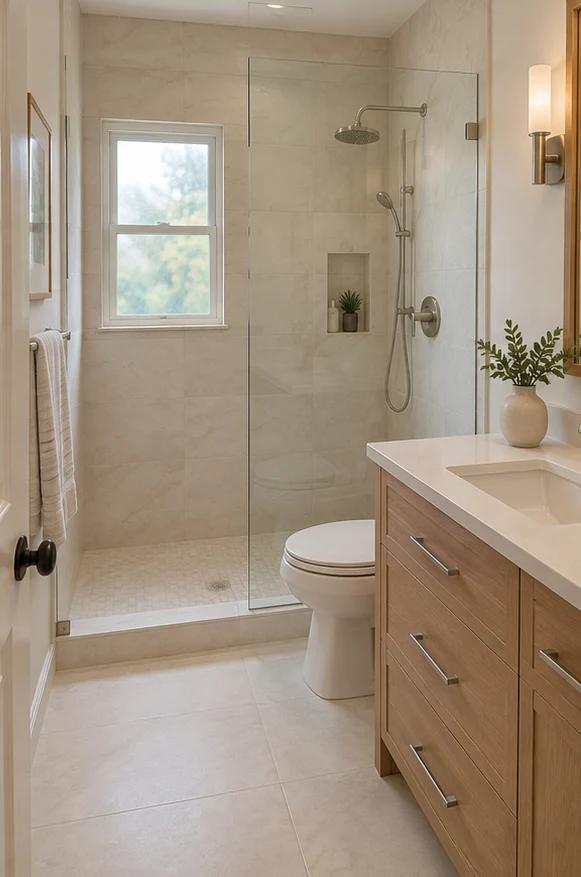
Demonstration reference for the Morgan bathroom, with a walk-in shower, oak vanity, and warm porcelain tile
Preparation, shower & tile
$7,850
Vanity, installation & finish
$6,350
Estimated total
$15,450

03Scheduling / Materials / Project Vision

Turn approved work into a shared plan.

Carry the approved scope into production. Coordinate the schedule, review material readiness, and keep field progress beside the job details.

  • Plan appointments, crews, and project milestones.
  • Review quantities and materials before work starts.
  • Carry the approved scope into the field.

Scheduling

Appointments, assigned people & project context
Demo
September 14–18

The team’s week

Production visit · September 14

Maple Street roof

8:00–11:00 AM

Scheduled
Assigned people
Alex Rivera · Roofing crew

04Invoices / Payments / Bill Vision

Keep spending and payments in view.

See what has been paid, what is still due, and what your company spends. Keep customer billing and receipt review organized in HomeVision.

  • Track deposits, invoices, and remaining balances.
  • See company spending beside customer payments.
  • Keep approvals, corrections, and exports in one workflow.

Payments + Bill Vision

Payments & company expenses
Demo
WO-1042 · Jordan Miller

INV-1042 · Maple Street roof

Part paid
Project total
$12,800
Paid
$4,000
Balance
$8,800

Company expenses

Bill Vision
Northline Supply
$159.84Approved
Riverbend Fuel
$62.40In review

Connected from the start

One customer relationship. Every stage of the job.

Customer details, scope, and next steps stay connected as work changes hands. Project Vision brings in the field. Bill Vision keeps company expenses organized.

  1. 01

    Lead

    Capture & assign

  2. 02

    Estimate

    Measure & price

  3. 03

    Proposal

    Present & approve

  4. 04

    Production

    Schedule & document

  5. 05

    Payment

    Invoice & collect

A closer look / Roof Reports

Roof measurements with somewhere to go.

Review area, pitch, facets, and edge measurements, then use that context to build your estimate, proposal, and material plan.

A focused tool for roofing teams. A connected part of your wider HomeVision workflow.

Explore Roof Reports

HomeVision Roof Report

Cedar Court measurement example · R-2080
Demo
Roof plan · Top view176 ft eaves · 8/12 pitch
Eave · 54 ftEave · 34 ft01020304Ridge · 20 ft
Roof area
2,206.6 sq ft
Pitch
8/12
Ridge
20 ft
Hips, total
106.3 ft
Report → Estimate22.07 measured squares · 25 squares with 10% allowance.

Built around your kind of work

Different trades. A shared need for a better workday.

Explore Solutions
HomeVision for your trade

Roofing contractors

From measurements to install day

Connect roof reports and proposals to material quantities, crew schedules, and documented field work.

  1. 01Capture the lead
  2. 02Measure & propose
  3. 03Prepare & install
Explore roofing contractors
HomeVision for your trade

Bathroom remodelers

From first idea to final walkthrough

Organize fixtures, labor, and finish choices into clear packages. Keep the approved scope with the production team.

  1. 01Understand the project
  2. 02Price the options
  3. 03Plan the remodel
Explore bathroom remodelers
HomeVision for your trade

Home-service teams

From incoming request to paid invoice

Give multiple trades one CRM for lead assignment, customer history, scheduling, job documentation, and billing.

  1. 01Assign the request
  2. 02Coordinate the work
  3. 03Document & collect
Explore home-service teams

A few useful answers

Questions about HomeVision?

Talk to our team
Can HomeVision support both roofing and remodeling workflows?

Yes. HomeVision supports roof estimating, roof reports, bathroom estimating, CRM, proposals, scheduling, and payments in one connected workspace.

Does HomeVision include public quote and proposal pages?

Yes. Teams can share public-facing estimate and proposal links to simplify homeowner review and approvals.

Can I start small and upgrade later?

Absolutely. You can begin with Starter and move to Essentials or Scale as your team grows.

What support is included during rollout?

Every plan includes guided onboarding resources, and higher tiers include deeper implementation planning and milestone check-ins.

Choose your starting point.

Explore the part of HomeVision that fits your next step.